
Introduction
CrewAI AMP (Agent Management Platform) is where teams build, deploy, operate, and govern their Crews and Flows in production.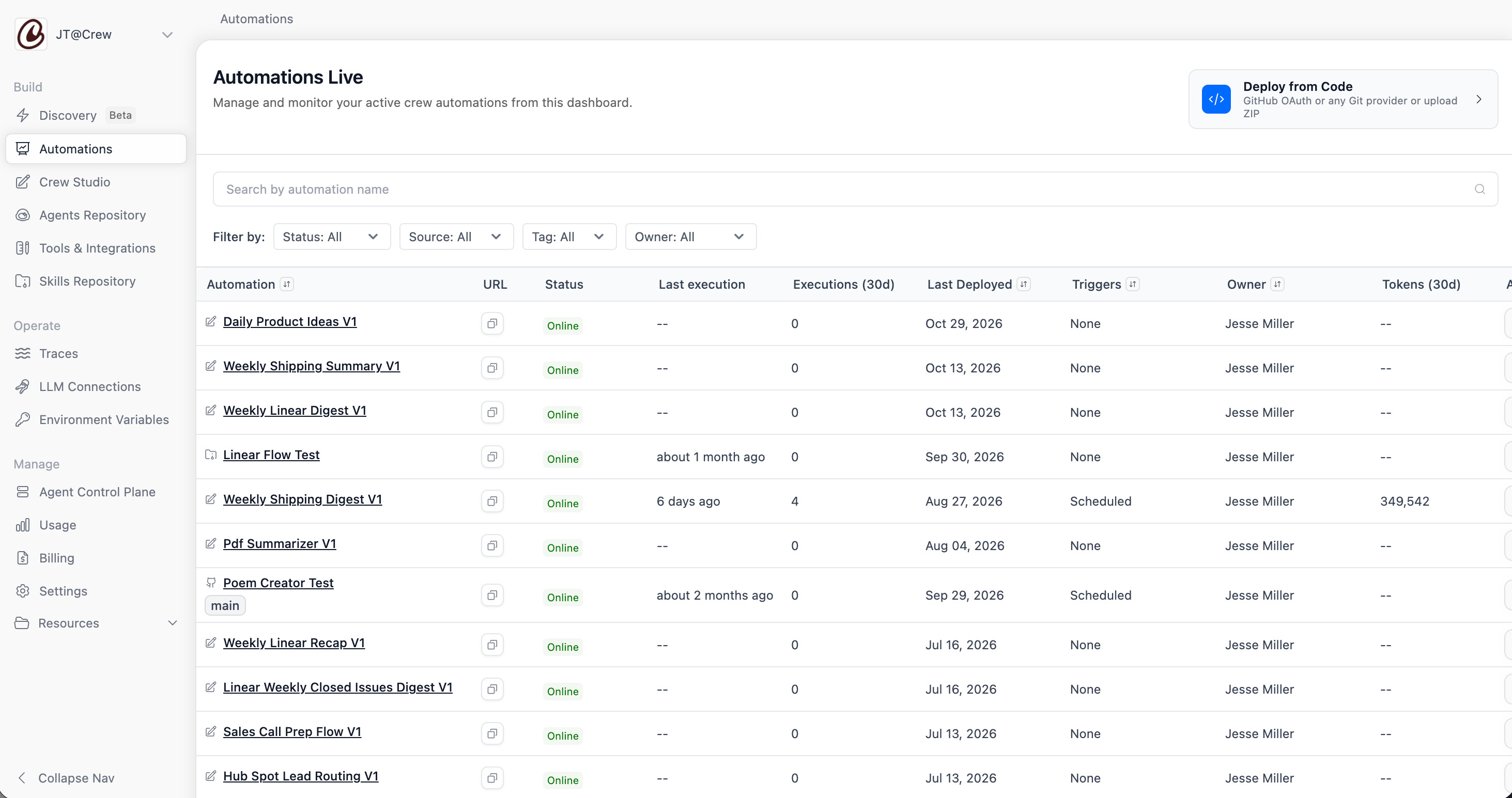
Crews and Flows
Crews
A team of agents that collaborates autonomously toward a goal. Use a Crew
when the path to the answer is open-ended.
Flows
Event-driven workflows where you control which steps run, in what order,
and under what conditions, with agents doing the work inside each step.
Build
Studio
Describe what you want and build Crews or Flows without writing code
Deploy from Code
Deploy from GitHub, any Git provider, a ZIP upload, or the CrewAI CLI
Tools & Integrations
Connect your automations to Slack, Gmail, Salesforce, and more
Agents Repository
Share and reuse agent definitions across your organization
Operate
Automations
Manage, run, and monitor every deployed Crew and Flow in one place
Triggers & API
Start automations on a schedule, from an app event, or through the REST API
Traces
Inspect every execution step by step, with LLM calls, tool use, and tokens
Webhook Streaming
Stream real-time execution events to your own systems
Govern
Agent Control Plane
Fleet health, LLM consumption, and organization-wide policies such as cost
limits and PII redaction
Role-Based Access Control
Control who can view, edit, and run each automation, tool, and connection
Secrets Manager
Pull credentials from AWS, GCP, or Azure instead of storing them in AMP
PII Trace Redactions
Keep sensitive data out of your execution traces
Getting Started
1
Sign up or sign in
Go to app.crewai.com to create an account or sign
in to an existing one.
2
Build your first Crew or Flow
Describe your automation in Studio and
choose Crew or Flow, or build a Crew in code
with the open-source framework.
3
Deploy it
Publish from Studio, or deploy from code
with GitHub, any Git provider, a ZIP upload, or the CrewAI CLI.
Open CrewAI AMP
Sign up or sign in at app.crewai.com